

Dynamics 365 | Microsoft Power BI
Explore, analyze and communicate your business data in a clear, visual and effective way.
Experts in Microsoft Power BI and Business Intelligence
What is Microsoft Power BI, what is it used for and how does it work?
Power BI is a business intelligence tool developed by Microsoft that allows you to connect, transform, analyze and visualize data, turning it into useful business information.
Power BI connects with Dynamics 365 Business Central, Microsoft 365, Excel, SharePointdatabases and cloud services. This enables users to combine multiple data sources and gain a centralized view of the business.
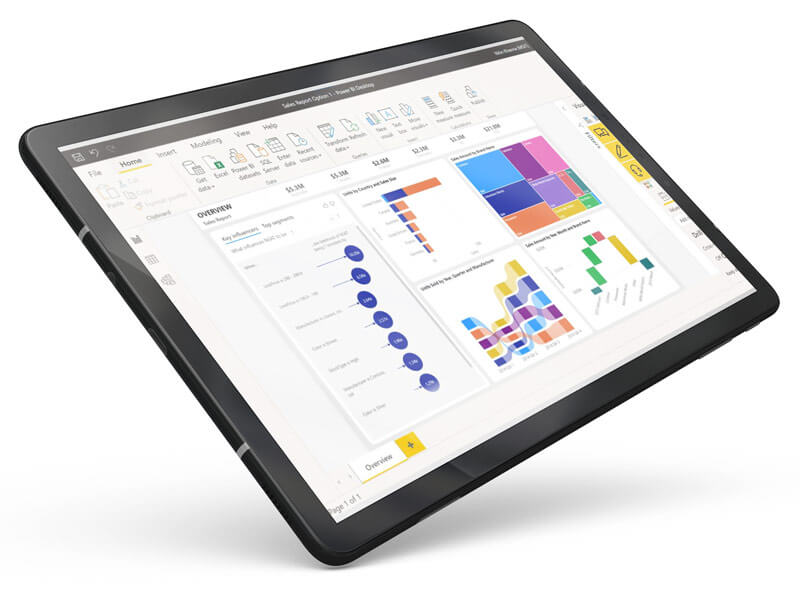
With Power Query, you can prepare and transform data Power BI Desktop allows you to create interactive reports and customize visualizations. Reports can then be published to the Power BI Service, updated and accessed from any device, including real-time data depending on the configuration.
Request a free consultation and discover how to get more value from your business data.
Benefits of integrating Power BI with Business Central
A complete business intelligence solution:
Centralize your Business Central data and make financial, sales and operational information easier to access.
Data analysis and visualization:
Analyze your data using charts, tables and KPIs to identify trends, detect deviations and improve processes. Microsoft Fabric and Copilot in Power BI can further enhance your analytics and AI capabilities.
Strategic data blending:
Connect multiple data sources, including Business Central, Excel, Microsoft 365, SharePoint, Microsoft Azure and Google Analytics. You can also integrate Power BI with Power Apps and Power Automate.
Immediate access:
Access up-to-date information from any device and, depending on your configuration, view real-time data through reports and dashboards.
More than just numbers:
Power BI provides interactive charts, maps and dashboards that transform data into clear, easy-to-understand and shareable insights.
Power BI KPIs and dashboards:
Customize your dashboards with key performance indicators for each business area to compare results, track objectives and support data-driven decision-making.
Power BI for every department in your company
This Microsoft tool allows you to analyze data from different areas of your business and create reports tailored to the needs of each department.
> Sales
Analyze sales performance, compare products or services, and track customers, opportunities, sales targets and forecasts.
Monitor orders, inventory, delivery times and operational efficiency to identify issues and optimize day-to-day processes.
Track revenue, expenses, margins, collections, payments, profits and losses. Organize data by reporting period to improve financial control.
Measure campaigns, leads, opportunities and return on investment. Combine data from analytics tools and other sources.
Bring your key KPIs together in a single dashboard to compare results, identify trends and make decisions based on up-to-date data.
Want to learn more about Microsoft Power BI and how it can fit into your business processes? CONTACT ADDERIT and discover how to turn your data into actionable insights.