

Adderit VERIFACTU FacturaE Integration
Integra automáticamente la verification URL associated with VERI*FACTU en los ficheros XML de FacturaE generados desde Microsoft Dynamics 365 Business Central.
What is it?
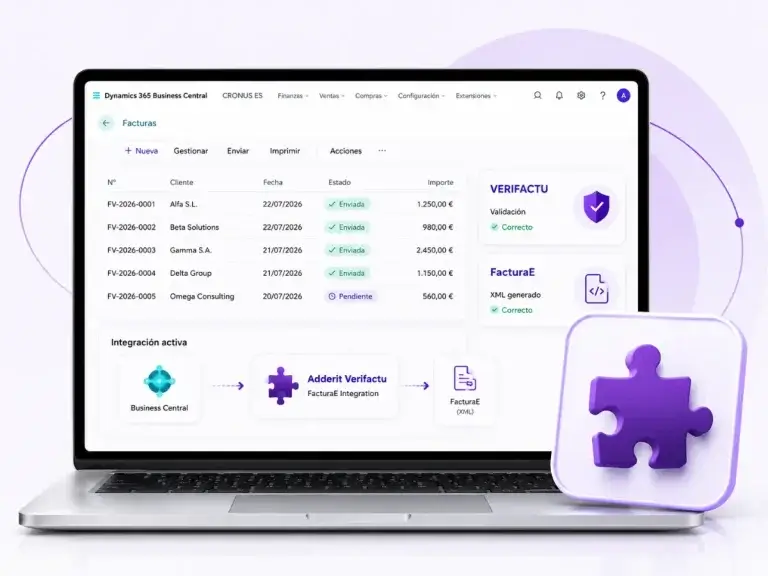
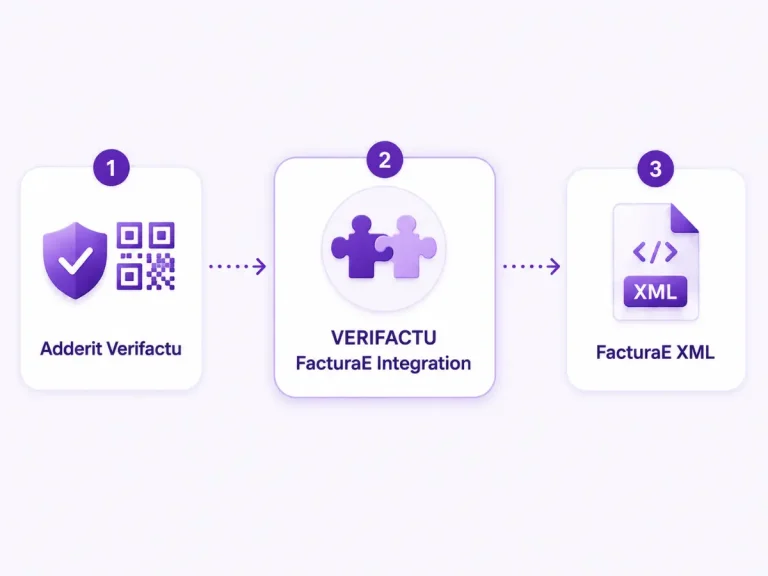
Adderit Verifactu FacturaE Integration connects Adderit Verifactu Adderit Verifactu and Adderit FacturaE para incorporar automáticamente en los ficheros XML de FacturaE la verification URL associated with VERI*FACTU.
La extensión se ejecuta en segundo plano en Microsoft Dynamics 365 Business Central e incorpora esta información en AdditionalData/Extensions del fichero XML de FacturaE, sin requerir pasos adicionales por parte del usuario.
How does it work?
La integración se ejecuta de forma automática al generar el XML de FacturaE.
La verification URL associated with VERI*FACTU se incorpora automáticamente en AdditionalData/Extensions del fichero XML de FacturaE durante su generación.
Key benefits
XML automation
Añade datos de VERI*FACTU automáticamente en FacturaE.
Fewer manual errors
Reduces incidents and repetitive tasks.
Integrated with Business Central
Runs in the background within the ERP.
Greater traceability
Vincula la información de cotejo con cada factura.
No additional interface
No extra screens or steps required.
Información integrada
Mantiene la información dentro de Business Central.
Requirements and dependencies
1. Adderit Verifactu
Debe estar instalado y configurado in Microsoft Dynamics 365 Business Central.
2. Adderit FacturaE
Debe estar instalado y configurado in Microsoft Dynamics 365 Business Central.
Esta extensión complementa ambas soluciones y no funciona de manera independiente.
Frequently Asked Questions (FAQs)
1. What exactly does Adderit Verifactu FacturaE Integration do?
Conecta Adderit Verifactu y Adderit FacturaE para incorporar automáticamente la URL de cotejo asociada a VERI*FACTU en los ficheros XML de FacturaE.
2. Does the extension work independently?
No. Requiere Adderit Verifactu y Adderit FacturaE instalados, activados y correctamente configurados in Microsoft Dynamics 365 Business Central.
3. Does it require any additional configuration?
No dispone de una configuración propia. Su funcionamiento depende de la correcta configuración de Adderit Verifactu y Adderit FacturaE.
4. ¿Dónde se añade la información de VERI*FACTU?
La URL de cotejo asociada a VERI*FACTU se incorpora en el apartado AdditionalData/Extensions section of the FacturaE XML file.
5. ¿Por qué se incorpora la URL de cotejo en una factura electrónica FacturaE?
En las facturas electrónicas estructuradas no es necesario representar gráficamente el código QR. En su lugar, la normativa permite incorporar el contenido que representa ese código, incluida la URL de cotejo en la sede electrónica de la AEAT.
Adderit VERIFACTU FacturaE Integration automatiza la incorporación de esta información en el fichero XML generado desde Business Central.
6. ¿El usuario debe realizar algún paso manual?
No. La extensión funciona en segundo plano y añade la información automáticamente al generar el XML de FacturaE.
7. ¿Qué ocurre si la factura no dispone de información de VERI*FACTU?
La extensión solo incorpora la información cuando está disponible la URL de cotejo asociada a la factura en Adderit Verifactu.
Si utilizas Adderit Verifactu y Adderit FacturaE en Business Central y necesitas incorporar automáticamente la verification URL associated with VERI*FACTU en tus ficheros FacturaE, podemos ayudarte a revisar tu entorno y la compatibilidad de las extensiones.
CONTACTA CON EL EQUIPO DE ADDERIT for more information.